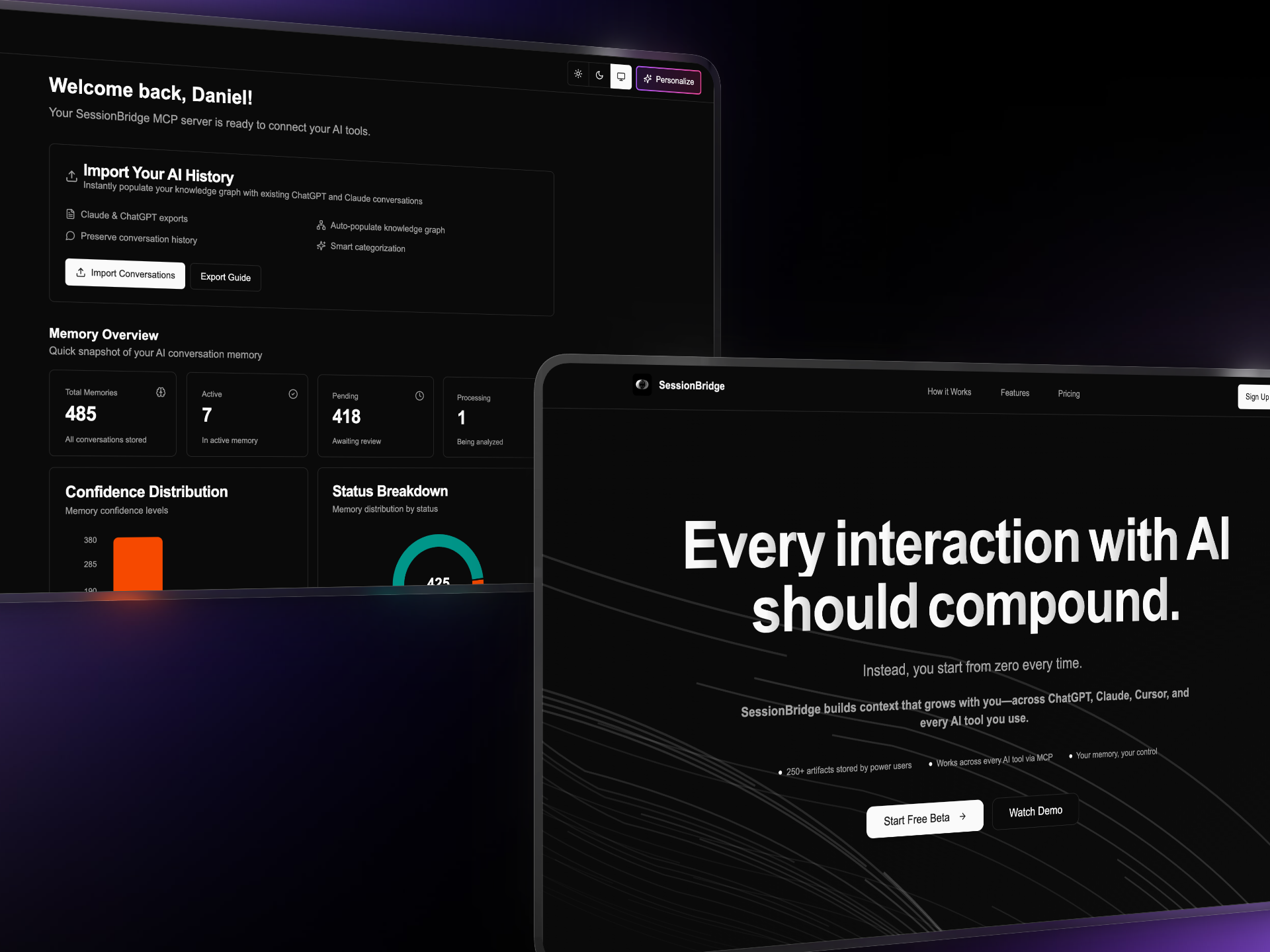
I’ve had thousands of conversations with AI. So have you.
Every time I switch from Claude to ChatGPT, I lose context. Every time I start a new Cursor session, I explain the same project details again. Every Monday morning, I rebuild mental models from scratch.
Your AI conversations don’t stack. They reset.
This isn’t an AI problem—it’s an infrastructure problem. And I got tired of waiting for someone else to solve it.
So I built SessionBridge in 3 days.
The Problem: AI Tools Have Amnesia
Here’s what happens today:
- ChatGPT doesn’t know what you told Claude
- Cursor doesn’t remember what you explained to ChatGPT
- Even within the same tool, your best insights get buried in conversation history
- You never see patterns across conversations
- That perfect prompt you wrote last month? Good luck finding it
Every interaction with AI should compound. Instead, every session starts from zero.
I was losing hours every week re-explaining context across tools. I knew the problem was solvable—it just needed the right architecture.
The “Why Now” Moment
Two things converged:
1. Model Context Protocol (MCP) launched
Anthropic released MCP as a standardized way for AI tools to connect to external systems. Suddenly, there was a protocol for building cross-platform memory that would work with any MCP-compatible client.
2. Platform memory wasn’t enough
ChatGPT added memory. Claude added Projects. But these were siloed within each platform. I needed something that followed me across tools, not just within them.
The infrastructure layer for AI memory didn’t exist. So I built it.
What I Built: Memory That Compounds
SessionBridge is a cross-platform memory layer built on MCP. It does three things:
1. Your Memory Accumulates
Every conversation, every artifact, every prompt gets stored in a unified memory graph. When I switch from Claude Desktop to Cursor to ChatGPT, the context follows me.
Power users have stored 250+ artifacts across 44+ conversations in a single memory graph. Context stacks instead of resets.
Technical implementation:
- MCP server exposes memory operations as tools
- Single URL provides access across all MCP-compatible clients
- Session-based persistence with semantic retrieval
- Xano backend handles API infrastructure and storage
2. Your Insights Surface
I added a Weekly Digest based on early user feedback. Every week, SessionBridge automatically surfaces:
- The 5 most reusable prompts
- Key artifacts you created
- Patterns across conversations
The prompt you perfected Tuesday becomes reusable by Friday—no digging through conversation history required.
3. Your Patterns Connect
Temporal linking shows how your thinking evolves across conversations:
- What you said
- When it mattered
- How it connects to what came next
This isn’t just storage—it’s a memory graph that understands relationships between ideas.
Architecture: How It Works
┌─────────────────────────────────────────────────────┐
│                  MCP Clients                        │
│  Claude Desktop │ Cursor │ ChatGPT │ Windsurf      │
└────────────┬────────────────────────────────────────┘
             │
             │ MCP Protocol
             │
┌────────────▼────────────────────────────────────────┐
│              SessionBridge MCP Server               │
│  • Session management                               │
│  • Memory operations (store, retrieve, search)      │
│  • Artifact tracking                                │
└────────────┬────────────────────────────────────────┘
             │
             │ REST API
             │
┌────────────▼────────────────────────────────────────┐
│                  Xano Backend                       │
│  • Session persistence                              │
│  • Semantic search                                  │
│  • Temporal linking                                 │
│  • Weekly digest generation                         │
└─────────────────────────────────────────────────────┘
Key technical decisions:
MCP as the abstraction layer: Instead of building custom integrations for each AI tool, I built one MCP server. Any tool that supports MCP automatically gets memory capabilities.
Xano for rapid backend development: I shipped the first version in 3 days because Xano’s visual backend let me move fast on API infrastructure, authentication, and data modeling without writing boilerplate.
Session-based architecture: Each conversation is a session, but sessions link together. This enables both immediate context retrieval and longer-term pattern recognition.
Implementation: Progressive Feature Disclosure
I didn’t build everything at once. I shipped fast and iterated based on user feedback.
V1 (3 days):
// Basic MCP server with memory operations
const mcpServer = {
  tools: [
    {
      name: "store_memory",
      description: "Store information for later retrieval",
      inputSchema: {
        type: "object",
        properties: {
          content: { type: "string" },
          tags: { type: "array" }
        }
      }
    },
    {
      name: "retrieve_memory",
      description: "Search stored memories",
      inputSchema: {
        type: "object",
        properties: {
          query: { type: "string" }
        }
      }
    }
  ]
};
This was enough to validate the core concept: cross-platform memory persistence.
V1.5 (Week 2):
- Import past conversations from ChatGPT and Claude
- Hybrid search (semantic + keyword)
- Artifact library
User feedback: “I want to see my best prompts automatically, not search for them.”
V2 (Week 4):
- Weekly Digest (automated prompt surfacing)
- Prompt Discovery (10 most reusable prompts, one-click copy)
- Temporal linking (see how ideas evolved)
What Didn’t Work
Attempt 1: Automatic context injection
I initially tried automatically injecting relevant memories into every AI conversation. The AI would see past context without explicitly asking for it.
Problem: Context pollution. The AI got confused by tangentially related information. Worse, it wasted tokens on irrelevant memories.
Solution: Make memory retrieval explicit. The AI asks for memories when needed, using the retrieve_memory tool. This is progressive disclosure—information appears when requested, not before.
Attempt 2: Conversation threading
I tried building a Twitter-style thread view where conversations branched and merged.
Problem: Too complex. Users wanted simple chronological history with search, not a graph visualization.
Solution: Temporal linking shows relationships without requiring users to navigate a graph. The system understands connections; users just see relevant context.
Measurable Outcomes
After 3 months of real-world usage:
- 250+ artifacts stored by power users (validation of compounding behavior)
- 44+ conversations tracked for a single project (proof of sustained context)
- Weekly Digest adoption: 70% of users enable it after their first week
- Prompt reuse rate: Users re-run stored prompts 3-5x more than they recreate from memory
User validation:
“Prompts are more valuable than outputs. Prompts should be saved and versioned.” — Preston (early tester)
“I want a complete canonical history of my prompts. I often redo work because finding it takes longer than recreating.” — Mark (power user)
These quotes directly shaped the Weekly Digest and Prompt Discovery features.
Key Technical Learnings
1. Most “AI problems” are actually backend problems
The bottleneck in AI product development isn’t model quality—it’s infrastructure. When you treat memory as a first-class system rather than an afterthought, AI tools become true collaborators instead of stateless question-answering machines.
2. MCP is the right abstraction
Building one MCP server gave me compatibility with Claude Desktop, Cursor, and any future MCP clients. I didn’t need custom integrations for each tool—I built once and it worked everywhere.
This is the future of AI UX: standardized protocols that enable cross-tool experiences.
3. Speed to market beats perfect features
V1 was minimal: store and retrieve. That was enough to validate demand. Every subsequent feature came from real user feedback, not speculation about what users might want.
Shipping in 3 days meant I learned what mattered in week 1, not month 3.
4. Progressive disclosure scales better than context dumping
Early versions dumped all potentially relevant context into conversations. This overwhelmed both the AI and the token budget.
Making retrieval explicit—where the AI asks for memories when needed—resulted in:
- Better AI decision-making (only relevant context)
- Lower token costs (only fetch what’s needed)
- Scalability to large memory graphs (doesn’t break with 250+ artifacts)
What’s Next
Automatic capture: Passive collection without user action. The system should watch your AI conversations and decide what to remember.
Temporal invalidation: Understanding when facts become outdated. If you store “our API uses v1 endpoints” in March, and switch to v2 in June, the system should know the old context is stale.
Prompt versioning: Track how your prompts evolve. When you refine a prompt, see the diff between versions and understand what improved.
Cross-tool analytics: See how your AI usage patterns develop. Which tools do you use for which tasks? Where do you context-switch most? What prompts have the highest reuse rate?
The Bigger Picture
AI tools will change. New models will launch. Platforms will evolve.
Your memory shouldn’t break every time that happens.
SessionBridge isn’t built for today’s tools—it’s built as the memory layer that works with tomorrow’s tools too. By using MCP as the standard interface, the system adapts as the AI landscape evolves.
Memory is infrastructure. It should be:
- Portable (works across tools)
- Durable (survives platform changes)
- Intelligent (surfaces insights, not just storage)
That’s what I built.
Try It
SessionBridge is live: sessionbridge.io
Setup takes 5 minutes:
- Create account
- Add MCP server to your AI tool (Claude Desktop, Cursor, etc.)
- Start having conversations—context automatically accumulates
Read the full technical deep dive: Dev.to article on AI memory infrastructure
Connect
Building AI infrastructure or memory systems? I’d love to hear what you’re working on.
- Email: daniel@pragsys.io
- Follow my work: Dev.to | Substack | X/Twitter
- More case studies: danielpetro.dev/work
This is part of my series on building AI agent infrastructure. Next up: how I built progressive disclosure into xanoscript-lint to enable autonomous error correction.